

 The SCIM (System for Cross-domain Identity Management) protocol is used by various cloud identity providers (IdPs), such as Okta or Entra ID, to provision user accounts and groups to and from applications.
This OpenGraph extension schema allows BloodHound to represent SCIM-provisioned users and groups as nodes in the graph. By modeling SCIM as a shared, technology-neutral layer, BloodHound avoids the need to introduce technology-specific edges for each integration (such as Okta+GitHub, Entra+GitHub, or Entra+SalesForce).
The SCIM (System for Cross-domain Identity Management) protocol is used by various cloud identity providers (IdPs), such as Okta or Entra ID, to provision user accounts and groups to and from applications.
This OpenGraph extension schema allows BloodHound to represent SCIM-provisioned users and groups as nodes in the graph. By modeling SCIM as a shared, technology-neutral layer, BloodHound avoids the need to introduce technology-specific edges for each integration (such as Okta+GitHub, Entra+GitHub, or Entra+SalesForce).
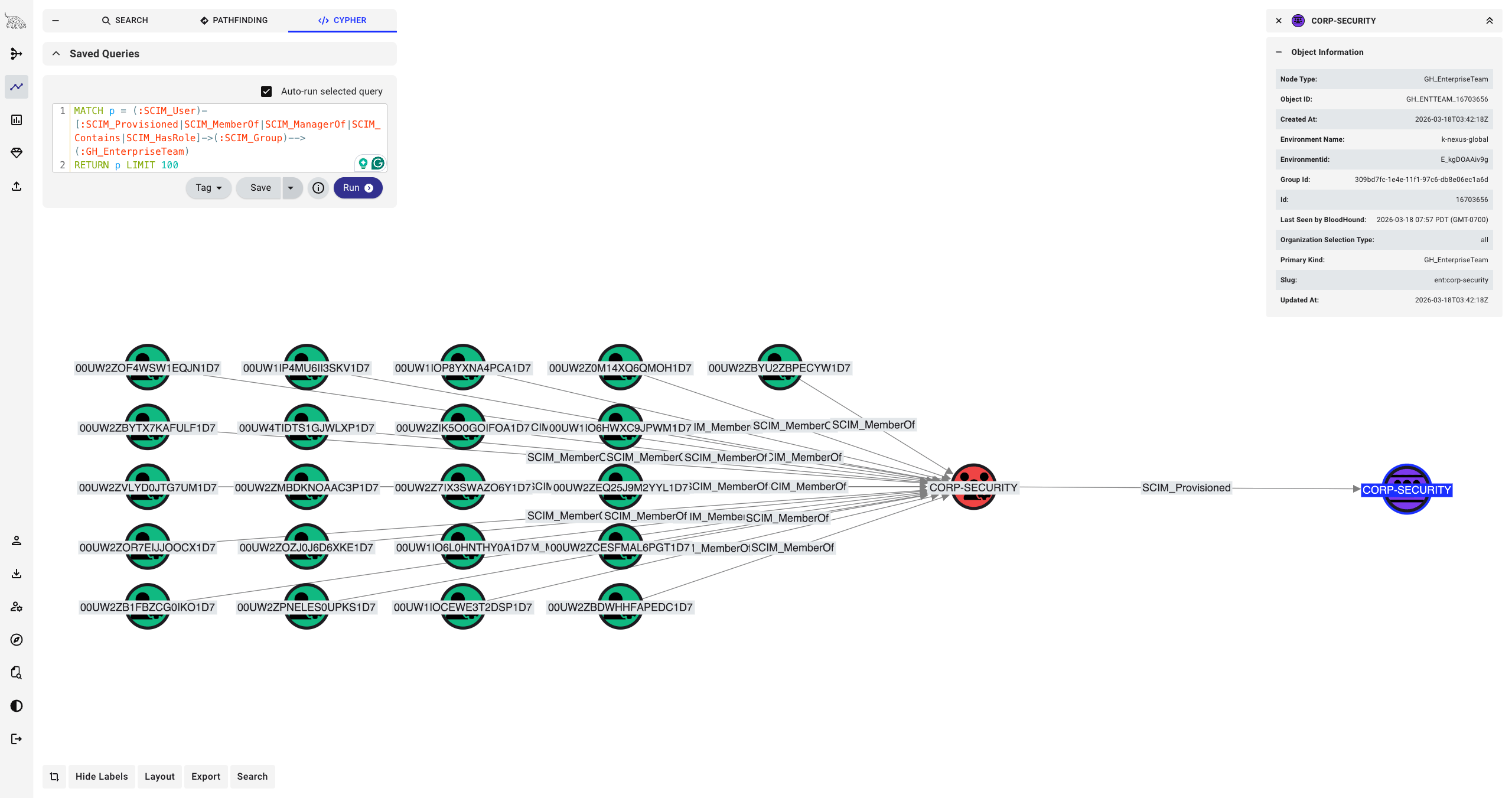
The SCIM extension is a schema-only extension — it does not include a collector. SCIM nodes and edges are produced by other collectors such as the OpenHound Okta and GitHub collectors. Even in BloodHound Enterprise tenants where GitHub and Okta are supported as built-in extensions, you must still upload the SCIM extension schema separately.
Graph Model
The SCIM extension defines a small, focused model with four node types and five edge types. See the extension schema for the full details. An SCIM_Organization represents a tenant in the identity provider and acts as the top-level container. It contains the three other node types: SCIM_User (a user account provisioned via SCIM), SCIM_Group (a group provisioned via SCIM), and SCIM_Role (a role that can be assigned to users). Users and groups can be members of groups, and users can be assigned to roles. A user can also be marked as the manager of another user. The key edge that ties SCIM to other extensions is SCIM_Provisioned, which connects a SCIM resource to a node in another extension’s graph — for example, linking an Okta user (via SCIM) to the corresponding GitHub user.Getting Started
- Download the SCIM extension schema from the bloodhound-scim-extension repository.
- Upload the SCIM schema to your BloodHound instance alongside the extension schemas for the collectors you are using (for example, Okta or GitHub). In BloodHound Enterprise v9.3.0 and later, some extensions (such as GitHub, Jamf, and Okta) are pre-installed. Verify that these are installed before you upload the SCIM companion schema.
- Run the relevant collectors — they will produce SCIM nodes and edges automatically.